
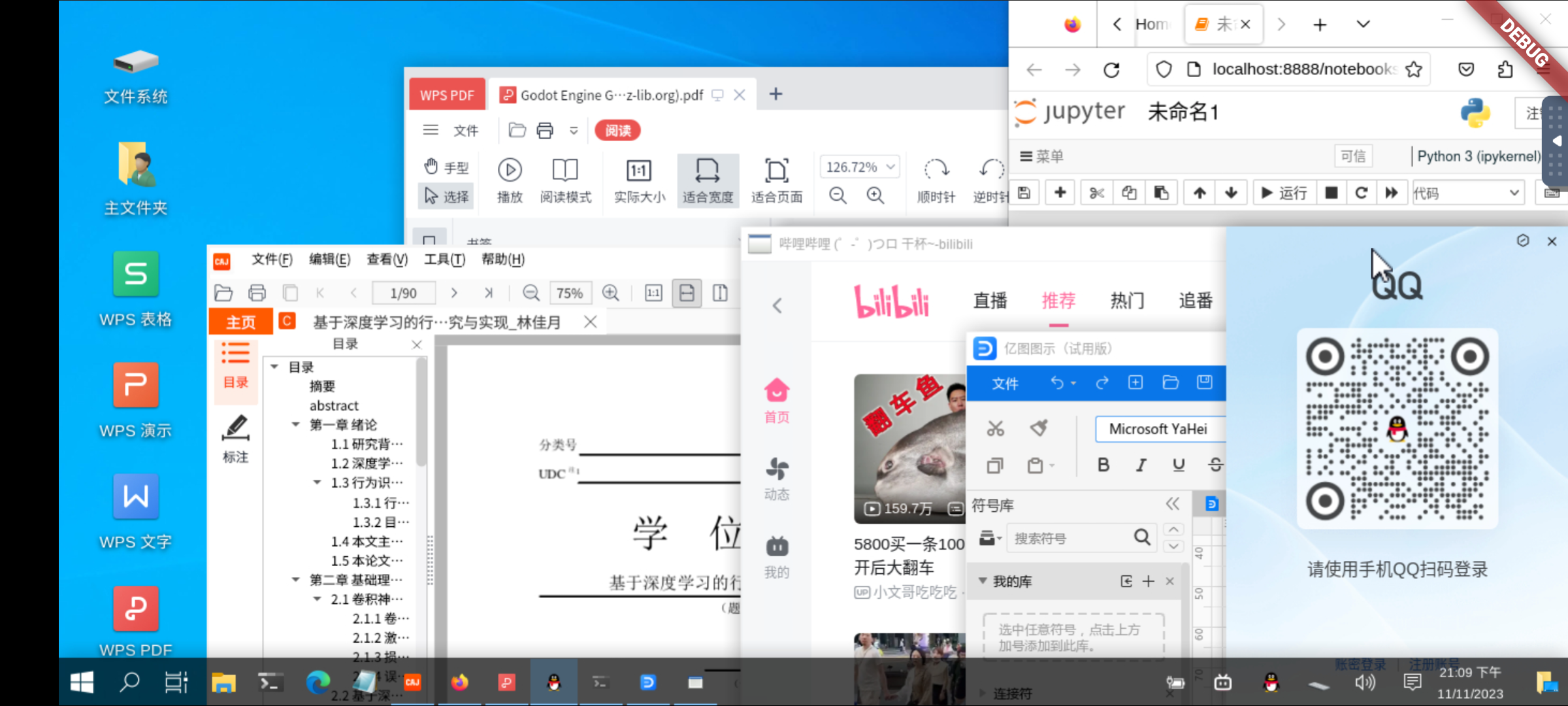
 - 提供常用软件的一键安装指令
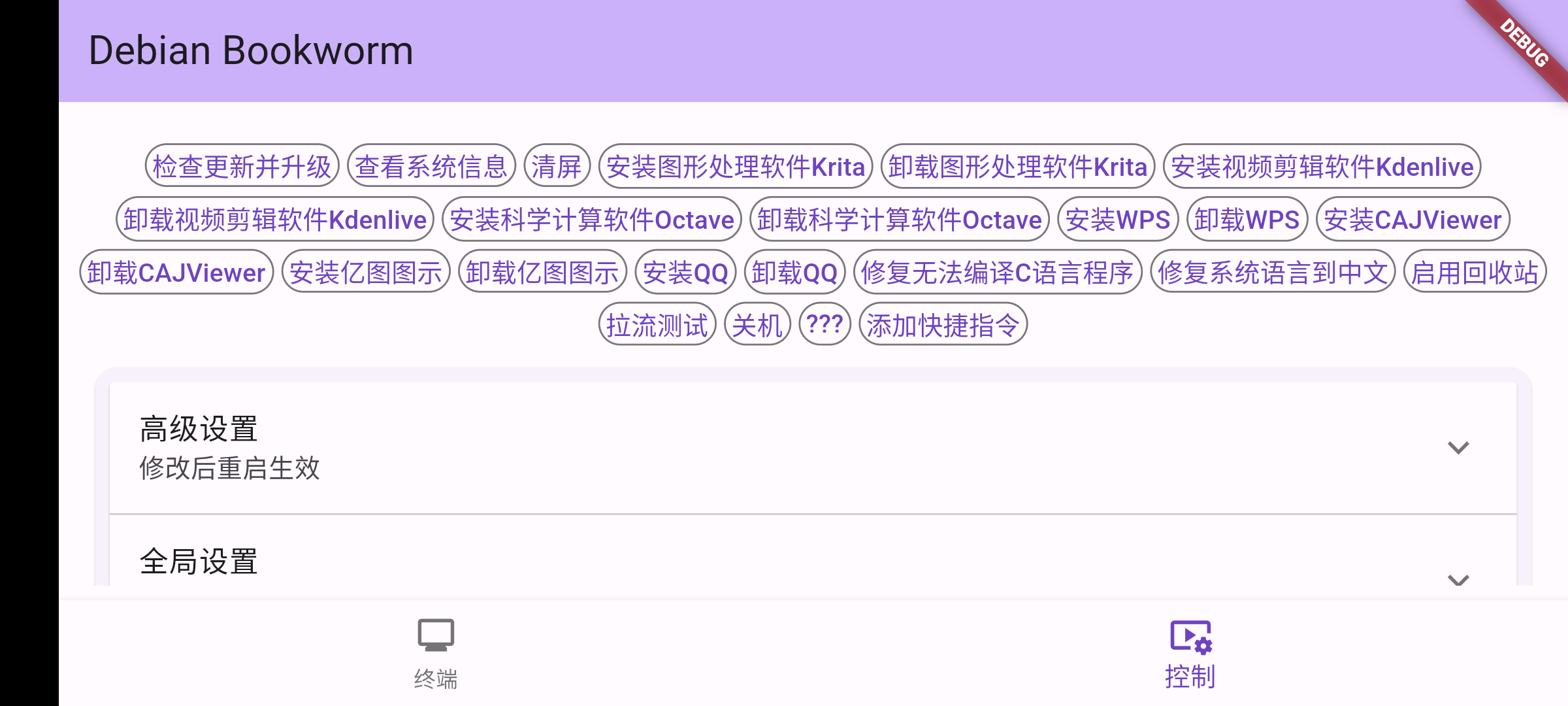 - 可方便地改变屏幕缩放,不用担心屏幕过大或过小
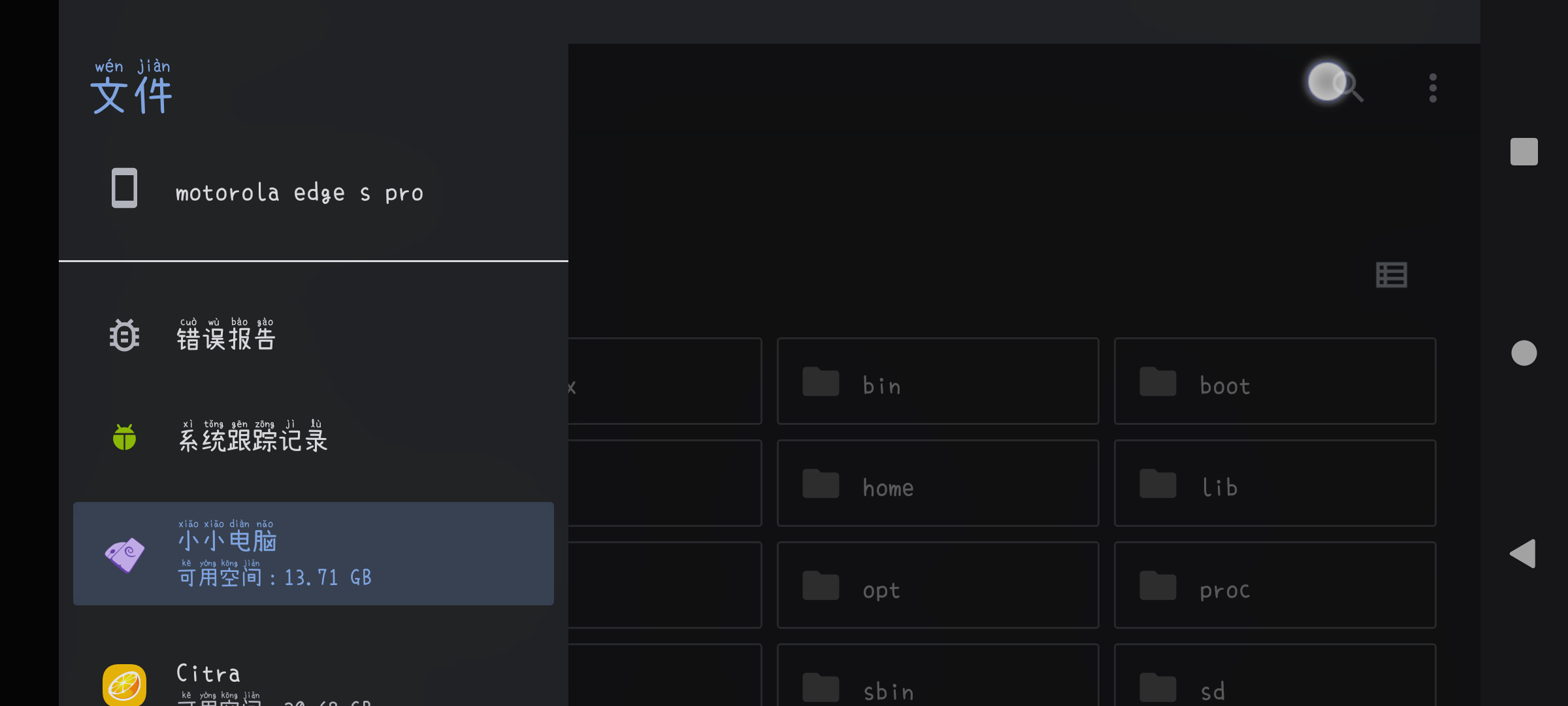
 - 便捷访问设备文件,或通过设备SAF访问软件文件
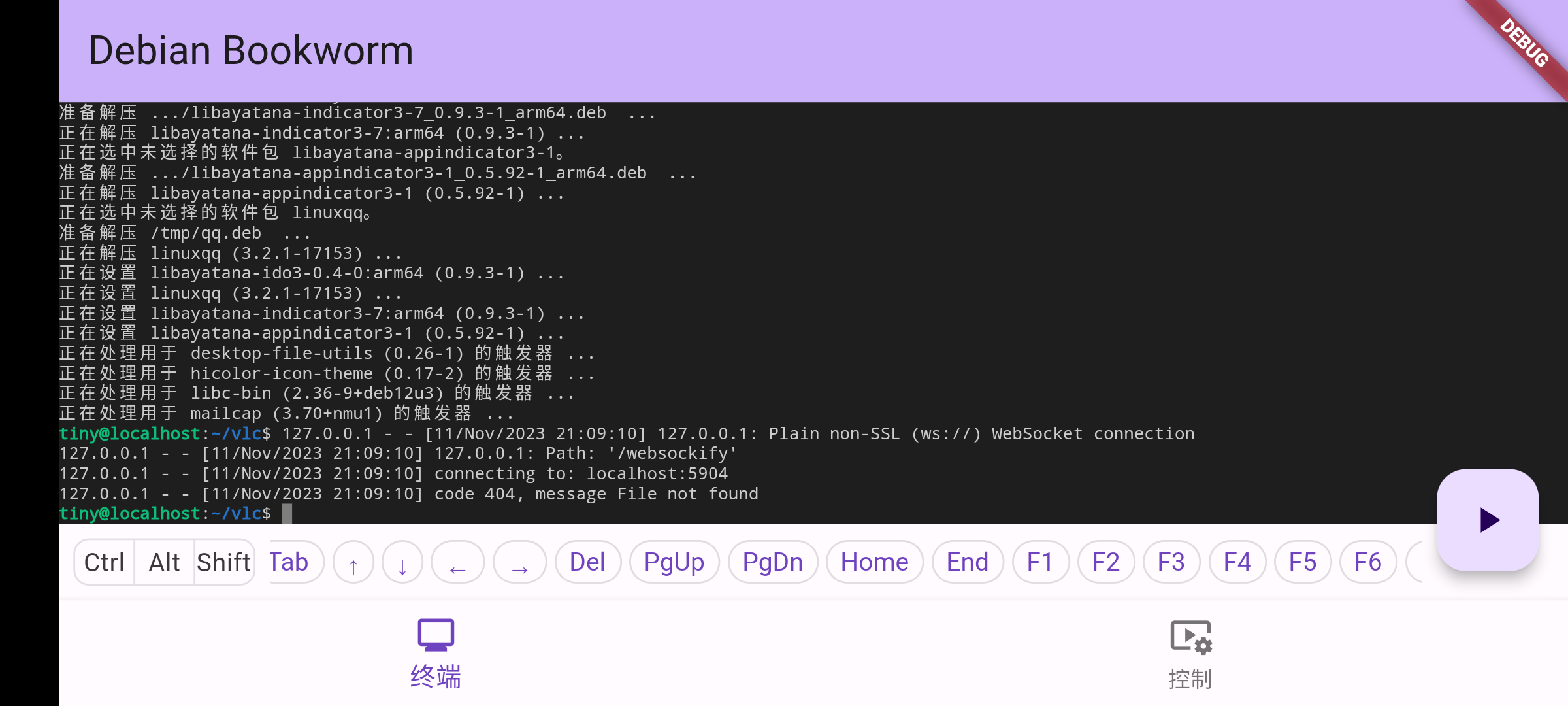
 - 提供终端和众多可调节参数供高级用户使用
 ## 下载
小小电脑提供多个版本。要将小小电脑作为PC应用引擎使用,请在[Releases](https://github.com/Cateners/tiny_computer/releases)页面下载并安装[XFCE](https://xfce.org/)版本(tiny-computer-xfce.apk)。
如果遇到黑屏问题,请卸载后尝试[LXQt](https://lxqt-project.org/)版本(Releases页寻找tiny-computer-lxqt.apk)。
这些版本的区别在于桌面环境不同。你可以简单地理解为界面不一样,但功能基本一致。
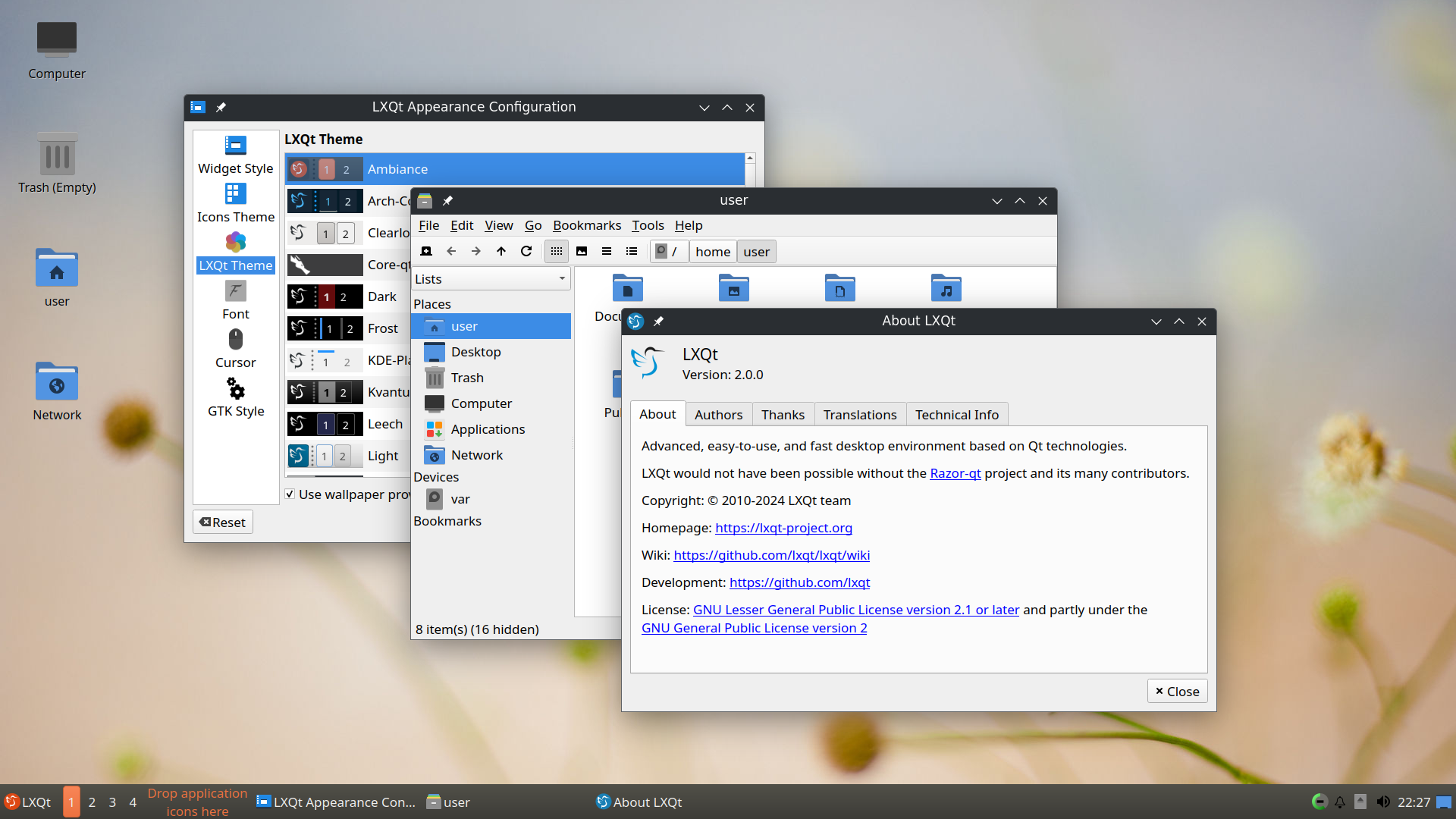
LXQt的界面示例:
## 下载
小小电脑提供多个版本。要将小小电脑作为PC应用引擎使用,请在[Releases](https://github.com/Cateners/tiny_computer/releases)页面下载并安装[XFCE](https://xfce.org/)版本(tiny-computer-xfce.apk)。
如果遇到黑屏问题,请卸载后尝试[LXQt](https://lxqt-project.org/)版本(Releases页寻找tiny-computer-lxqt.apk)。
这些版本的区别在于桌面环境不同。你可以简单地理解为界面不一样,但功能基本一致。
LXQt的界面示例:
 如果你下载小小电脑是为了体验更多桌面环境,享受折腾Linux的乐趣,这里也有一些其他版本供下载!
和[GXDE](https://www.gxde.org/)团队合作的版本[#129](https://github.com/Cateners/tiny_computer/issues/129)。可在[此处](https://mirrors.sdu.edu.cn/spark-store-repository/GXDE-OS/APK/)下载。GXDE的界面示例:
如果你下载小小电脑是为了体验更多桌面环境,享受折腾Linux的乐趣,这里也有一些其他版本供下载!
和[GXDE](https://www.gxde.org/)团队合作的版本[#129](https://github.com/Cateners/tiny_computer/issues/129)。可在[此处](https://mirrors.sdu.edu.cn/spark-store-repository/GXDE-OS/APK/)下载。GXDE的界面示例:
 由[灵墨桌面](https://www.lingmo.org/)开发者提供的版本[#218](https://github.com/Cateners/tiny_computer/issues/218)。灵墨桌面的界面[示例](https://www.bilibili.com/video/BV1Ci421R7AR)
## 原理
使用proot运行debian环境
内置[noVNC](https://github.com/novnc/noVNC)/[AVNC](https://github.com/gujjwal00/avnc)/[Termux:X11](https://github.com/termux/termux-x11)显示图形界面
## 项目结构
assets的文件来源信息可以在[这里](extra/readme.md)找到。
完整的容器制作过程可以在[这里](extra/build-tiny-rootfs.md)看到。
数据包不再在assets中更新,而是随releases提供,主要是为了避免git越来越大
lib目录:
- main.dart文件,页面布局,有点乱
- workflow.dart文件,逻辑部分,目前也还可以理解
- Util 工具类
- TermPty 一个终端
- G 全局变量类
- Workflow 从软件点开到容器启动的所有步骤
## 编译
你需要配置好flutter和安卓sdk,还需安装python3、bison、patch、gcc,然后克隆此项目。
在编译之前,需要在release中下载系统rootfs(或者[自行制作](extra/build-tiny-rootfs.md)),之后使用split命令分割,拷贝到assets。一般我将其分为98MB。
`split -b 98M debian.tar.xz`
还需要对flutter的一些默认配置作修改,因为其与项目中build.gradle的一些设置冲突。
- 删除`flutter\packages\flutter_tools\gradle\src\main\groovy\flutter.groovy`路径下与`ShrinkResources`相关的`if`代码块。
接下来就可以编译了。我使用的命令如下:
`flutter build apk --target-platform android-arm64 --split-per-abi --obfuscate --split-debug-info=tiny_computer/sdi`
有一些C代码可能报错。比如KeyBind.c等文件,报错一些符号未定义。但其实包含那些符号的函数并没有被使用,所以可以把它们删掉再编译。
应该有编译选项可以避免这种情况,但我对cmake不熟,就先这样了:P
## 目前已知bug
多用户/分身情形无法sudo, 其它见issue
## 一些链接
这是我的第一个flutter软件,感谢这些项目为我指路
- 要一点基础的 [《Flutter实战·第二版》](https://book.flutterchina.club)
- 也许是零基础的Flutter视频课程 [freeCodeCamp Flutter Course](https://www.youtube.com/watch?v=wFn-m-OgKPU&list=PL6yRaaP0WPkVtoeNIGqILtRAgd3h2CNpT)
- 安卓上的VS Code [Code FA](https://github.com/nightmare-space/vscode_for_android)
## Getting Started
This project is a starting point for a Flutter application.
A few resources to get you started if this is your first Flutter project:
- [Lab: Write your first Flutter app](https://docs.flutter.dev/get-started/codelab)
- [Cookbook: Useful Flutter samples](https://docs.flutter.dev/cookbook)
For help getting started with Flutter development, view the
[online documentation](https://docs.flutter.dev/), which offers tutorials,
samples, guidance on mobile development, and a full API reference.
由[灵墨桌面](https://www.lingmo.org/)开发者提供的版本[#218](https://github.com/Cateners/tiny_computer/issues/218)。灵墨桌面的界面[示例](https://www.bilibili.com/video/BV1Ci421R7AR)
## 原理
使用proot运行debian环境
内置[noVNC](https://github.com/novnc/noVNC)/[AVNC](https://github.com/gujjwal00/avnc)/[Termux:X11](https://github.com/termux/termux-x11)显示图形界面
## 项目结构
assets的文件来源信息可以在[这里](extra/readme.md)找到。
完整的容器制作过程可以在[这里](extra/build-tiny-rootfs.md)看到。
数据包不再在assets中更新,而是随releases提供,主要是为了避免git越来越大
lib目录:
- main.dart文件,页面布局,有点乱
- workflow.dart文件,逻辑部分,目前也还可以理解
- Util 工具类
- TermPty 一个终端
- G 全局变量类
- Workflow 从软件点开到容器启动的所有步骤
## 编译
你需要配置好flutter和安卓sdk,还需安装python3、bison、patch、gcc,然后克隆此项目。
在编译之前,需要在release中下载系统rootfs(或者[自行制作](extra/build-tiny-rootfs.md)),之后使用split命令分割,拷贝到assets。一般我将其分为98MB。
`split -b 98M debian.tar.xz`
还需要对flutter的一些默认配置作修改,因为其与项目中build.gradle的一些设置冲突。
- 删除`flutter\packages\flutter_tools\gradle\src\main\groovy\flutter.groovy`路径下与`ShrinkResources`相关的`if`代码块。
接下来就可以编译了。我使用的命令如下:
`flutter build apk --target-platform android-arm64 --split-per-abi --obfuscate --split-debug-info=tiny_computer/sdi`
有一些C代码可能报错。比如KeyBind.c等文件,报错一些符号未定义。但其实包含那些符号的函数并没有被使用,所以可以把它们删掉再编译。
应该有编译选项可以避免这种情况,但我对cmake不熟,就先这样了:P
## 目前已知bug
多用户/分身情形无法sudo, 其它见issue
## 一些链接
这是我的第一个flutter软件,感谢这些项目为我指路
- 要一点基础的 [《Flutter实战·第二版》](https://book.flutterchina.club)
- 也许是零基础的Flutter视频课程 [freeCodeCamp Flutter Course](https://www.youtube.com/watch?v=wFn-m-OgKPU&list=PL6yRaaP0WPkVtoeNIGqILtRAgd3h2CNpT)
- 安卓上的VS Code [Code FA](https://github.com/nightmare-space/vscode_for_android)
## Getting Started
This project is a starting point for a Flutter application.
A few resources to get you started if this is your first Flutter project:
- [Lab: Write your first Flutter app](https://docs.flutter.dev/get-started/codelab)
- [Cookbook: Useful Flutter samples](https://docs.flutter.dev/cookbook)
For help getting started with Flutter development, view the
[online documentation](https://docs.flutter.dev/), which offers tutorials,
samples, guidance on mobile development, and a full API reference.